Snow Rider 3D Tips: Read the Mountain, Tap the Arrows, Jump Early
Published · 3 min read
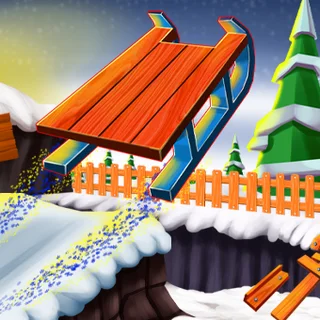
Most Snow Rider 3D runs end in the same place: somewhere in the second half of the first minute, when the sled has picked up speed and the gaps between trees start arriving faster than you can react to them. The good news is that the mountain is not random chaos. It follows a pattern, and once you ride to the pattern instead of reacting to each obstacle, the runs get a lot longer.
What the game is actually asking
There are three keys. Left and Right steer, Up jumps. The sled never stops accelerating, and a touch with anything that is not snow ends the run. Everything else — the gifts, the score, the best score — follows from how long you stay on the hill. So every tip below comes down to one thing: keeping options open for the next two seconds.
Read the mountain in waves
Obstacles come in clusters: a group of pine trees, then a boulder or two, then a stretch of open snow, then the next group. The open stretch is your reset. Use it to steer back to the centre of the track and settle the sled. Players who crash in the fast part usually entered a cluster already leaning to one side, with no room left to dodge the other way.
Look two obstacles ahead
The natural thing is to watch the tree right in front of you. By the time it is close, though, your only choices are left or right, and one of those is usually wrong. Look further up the slope. If you can see the gap after the next tree, you can start drifting towards it early and pass the first tree on the correct side without a hard turn.
Tap the arrows, do not hold them
Holding an arrow key swings the sled wide, and it takes just as long to swing back. At low speed that is fine. At high speed a held key is how you slide past one tree and straight into the rock beside it. Short taps move the sled a little at a time and keep it steady. If you are on a touchscreen, the same rule applies to taps on each half of the screen.
Jump earlier than feels right
The tutorial ends with a warning — jump through the obstacles — and it means it. Some things on the hill are low enough to clear with the Up arrow, and ramps launch you if you take them straight. The sled needs a moment to leave the snow, so press Up while the obstacle is still a sled-length or two away. Line the sled up before you jump, because you cannot turn much in the air, and do not jump into a cluster of trees: you will come down in the middle of it.
Watch for the rolling snowballs
The big snowballs move, which makes them the one obstacle you cannot plan for from far away. When you see one, do not race it across the track. Hold your line, let it cross in front of you, and steer behind it.
Gifts: take the easy ones
The red gift boxes are tempting, and they add up to new sleds in the shop. But a gift that sits between two trees costs you the run far more often than it pays. Pick up the ones that lie on your line anyway, and let the rest go. Longer runs collect more gifts than greedy ones, simply because they last longer.
A routine for your next ten runs
- First ten seconds: stay in the middle and only tap.
- Every open stretch: return to the centre before the next cluster.
- Every cluster: pick the gap two obstacles ahead, then drift to it early.
- Every low obstacle or ramp: line up, then jump a beat early.
- Every crash: tap straight away and start again — the early part of the run is where you build the rhythm.
Your best score is kept in the browser, so you can watch it climb from one session to the next. Ready? Ride Snow Rider 3D.
More from the blog
- Snow Rider 3D on a Chromebook, Laptop or Phone: Controls and Smooth Play
Keyboard and touch controls, the focus trick when the arrows do nothing, and what to change when Snow Rider 3D loads slowly, stutters or stays black.