Drive Mad Unblocked — Play Free Online
More Racing & Bikes games

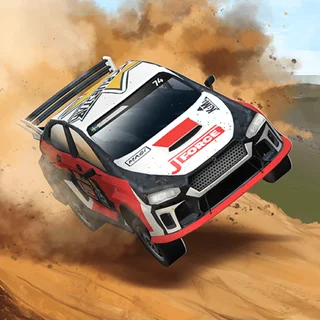


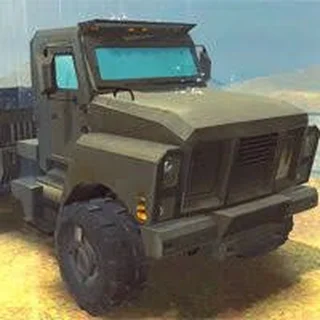


Drive Mad unblocked: play Drive Mad online free right here in your browser — no download, no sign-up, works on a school Chromebook.
Drive Mad is an addictive physics stunt puzzle game where raw speed takes a backseat to precise throttle control and vehicle balance. Instead of racing against an opponent clock or navigating open asphalt, each self-contained stage asks you to pilot a blocky truck across fragile bridges, seesaw ramps, staircases, and spinning obstacles toward a checkered finish flag. One mistake flips your cabin or snaps your chassis, triggering an instant restart.
For players visiting Snow Rider for quick reflexes and obstacle evasion, Drive Mad delivers that same satisfying rhythm of trial, error, and instant feedback. Every track presents a distinct mechanical gimmick—from massive wheels and elongated axles to reversing physics and momentum ramps—that tests how well you understand weight transfer.
How to play
The controls in Drive Mad are intentionally minimal, putting all the emphasis on vehicle physics:
- Accelerate forward: Press W or the Up Arrow key.
- Brake and reverse: Press S or the Down Arrow key.
- Quick restart: Press R to reload the current stage after a flip or crash.
- Touchscreens: Tap and hold the left or right side of the screen to drive and balance.
The real challenge comes from how acceleration tilts your vehicle. Gunning the throttle kicks the front wheels upward, while slamming the brakes pulls the nose down. Conquering a stage requires balancing torque to keep your tires planted on awkward ramps without rolling backward into a pit.
Tips for tricky stages
- Feather the throttle: Holding the accelerator continuously often flips your truck over backward. Tap the key in short bursts to climb steep ramps smoothly.
- Let momentum work on jumps: Gun your engine on the approach to a gap, then let off the throttle mid-air so your wheels do not over-rotate before landing.
- Use reverse to regain balance: If your front wheels lift too high off the track, tap reverse quickly to pull the nose back down before the cabin strikes the ground.
- Watch for track reactions: Many bridges, seesaws, and platforms react to the weight of your vehicle. Pausing briefly can let a moving obstacle align before you roll across.
Similar games on Snow Rider
If you enjoy the physics balancing and quick-retry pacing of Drive Mad, check out other obstacle racers in the Snow Rider library. Moto X3M Winter blends stunt balance with explosive obstacle courses on snow, while Hill Climb Racing Lite tests your throttle discipline across bumpy hills and fuel checkpoints. For downhill speed and rapid dodging, the headline game Snow Rider 3D offers endless obstacle runs down steep alpine slopes.
Questions about Drive Mad
Is Drive Mad unblocked at school?
Drive Mad runs in an ordinary browser tab from snowrider.org, with nothing to download or install, so it plays on most school Chromebooks and work computers. If a network filter blocks the site, only that network's administrator can change it.
What are the controls for Drive Mad?
Press W or the Up arrow to accelerate forward, and press S or the Down arrow to reverse or brake. On touchscreens, tap or hold the left and right sides of the display.
Does Drive Mad save your level progress automatically?
Yes, the browser saves completed levels in local storage, allowing you to resume your run from your furthest stage whenever you return to the site.
How do you recover if the truck starts tipping over?
Release the accelerator immediately or tap reverse briefly to counter the vehicle's rotational torque and settle the tires back onto the ground.
Can you play Drive Mad on mobile devices?
Yes, Drive Mad runs smoothly inside mobile browsers on smartphones and tablets, using responsive on-screen steering zones.